Make completed work easier to discover
A real customer can describe the service they experienced. The company does not need to invent a testimonial or prescribe a list of keywords for them to include.
The next homeowner cannot see the work you completed yesterday. Make it easier for genuine customers to describe their experience after the job, with a branded review process your office can actually run.
$1,000 setup plus $900 for a standard 60-day campaign. Setup, sending and the first wave are done by us. Your customer’s own words, on your own domain.
Someone choosing an HVAC company, plumber, or repair service may be comparing availability, service area, and the experience other customers describe. Genuine reviews can provide context beyond a service list. They do not replace licensing, insurance, accurate estimates, or doing the work well.
A real customer can describe the service they experienced. The company does not need to invent a testimonial or prescribe a list of keywords for them to include.
Give one person ownership after an appropriate service milestone. Technicians should not need to stand over customers while they choose a rating.
A homeowner may look up your business even after receiving a recommendation. Reviews can be part of that research, but additional calls and booked work must be measured separately.
Invoices, parts, follow-ups, and the next appointment already compete for your team’s attention. A simple Google link may be enough for some customers; others never get around to writing. An approved invitation and a starting draft built from the facts of the customer’s own job make the task clearer. The customer rewrites or replaces it before publishing from their own account, so the review stays theirs.
A useful campaign starts with a real audience and a specific operational problem. These are situations to explore, not a promise that every business needs a campaign.
Start with one neutral completed-service cohort and a usable export. A field-service integration is not required for the first standard campaign.
Move the request into a defined office process. Keep it separate from tipping, discounts, warranties, and onsite pressure.
Confirm the correct eligible listing and scope. Do not create a fictitious location or assume that more listings are always the answer.
We configure and launch the workflow. Your customer controls the review.
Choose a service milestone that gives the customer a real basis to comment. Use neutral rules, not a filter that excludes complaints or likely criticism.
Use an approved contact and limited nonsensitive service context. Keep property access codes, alarm information, home addresses, and payment details out of draft context.
Use your brand and one approved sending identity. Customers get a starting draft built from the facts of their own job, rewrite or replace it, choose their own rating, and decide whether to publish from their own account.
Look at delivery, customer engagement, and listing changes separately. Train your operator, then decide whether another cohort or a separately scoped integration is useful.
The draft is a starting point built from the facts of the customer’s own visit, not a submission. The customer rewrites it, asks for another wording, or replaces it entirely before publishing from their own account. Nothing is posted from this page, and the rating is chosen on the review site under the customer’s own account.
No discount for posting, no warranty condition, no request to revise criticism in return for a repair. A private feedback path is a setting you control: you decide whether it is on and whether an unhappy customer also sees the public review link. A thank-you after posting is optional and your decision. We walk you through the trade-offs and Google’s review policy before launch.
The standard launch starts with one usable export. It does not assume a new CRM integration or a fully automatic service trigger.
No home-services campaign result was provided for this offer. We will not relabel another industry’s case as a plumbing or HVAC success story. Start with one listing, record its baseline, and judge the first campaign using your own evidence.
The first campaign should establish:
A dashboard should help you decide what to do next. It should not turn a click into a published review or a change in the listing into a promise about revenue.
Who entered the campaign and which sends succeeded or failed.
Customer-page engagement, copying, and clicks to the review platform.
What customers tell us they posted. This is not verified publication.
Dated public counts and ratings. For the managed campaign, this dated public count is what the final report shows. Organic activity can affect it too.
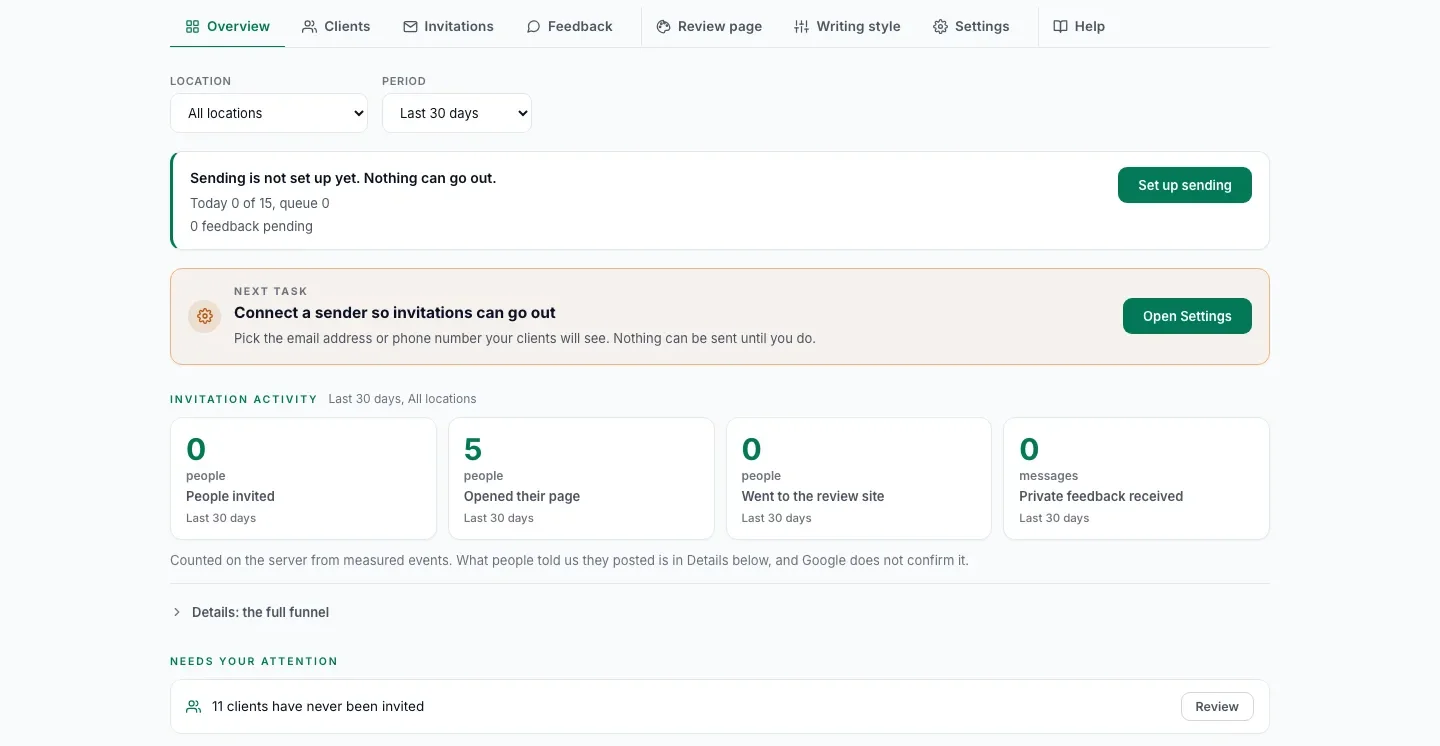
Each customer on your list has one invitation status, with the same words for email, SMS and WhatsApp. A status your staff set by hand is labelled as a staff mark.
| Not invited | No invitation has gone out yet. |
|---|---|
| Scheduled | It goes out on its own at a set time. Nothing to do. |
| Ready to send | Waiting for your staff to send it by hand from their own WhatsApp or phone. |
| Sent | The message went out, as the provider reports or your staff mark it. |
| Delivered | The phone received it, as the SMS or WhatsApp provider reports or your staff mark it when they see it delivered, such as two grey ticks in WhatsApp. Emails stay at Sent. |
| Failed | It did not go out, or it bounced, as the provider reports or your staff mark it with a reason, such as a wrong number or a number not on WhatsApp. |
| Cancelled | It is not going to be sent. |
Progress then follows each customer from opening their page to writing a draft, copying it, clicking through to Google and saying they posted, and that last step is their own word, because Google does not tell anyone who published.
Review counts, ratings, rankings and new customers are not guaranteed. Google controls publication and moderation. A rise in the public count can be observed during a campaign without proving the campaign caused it.
The standard campaign is one brand, one Google location, the customers you already served with no cap per location, one English email campaign, and 60 days.
| Duration | 60 days from launch |
|---|---|
| Scope | One brand, one Google location |
| List | The customers you already served and may contact. No cap per location |
| Channel | Email in English |
| Destination | |
| Included | List preparation, sender and domain setup, invitation copy, first wave launched by us, monitoring, final report |
| You provide | The list, DNS and Google Business Profile access, message approval, someone to answer private feedback |
| Extra locations | $900 each in the same campaign |
| Quoted separately | Languages, WhatsApp or SMS, integrations, custom data work |
Non-standard requirements such as integrations, additional languages or custom data work are quoted separately and can raise the price substantially.
We run the campaign for you
$1,000 setup plus $900 for a standard 60-day campaign
A defined campaign at a fixed price, with no guaranteed review volume and no automatic renewal.
Run it yourself
$1,000 setup plus $179 per location per month
We set it up, launch the first wave and train your team. Your team sends the next waves from the dashboard.
Pay yearly and save 15% on monthly fees. There is no cap on customers per location. More than 5 locations and more than 3,000 customers: we plan the project with you on a call.
The setup is yours to keep in either option: your domain, your sending, your list prepared, and the first wave launched. It is paid once and is not credited against other fees. The campaign fee is fixed and does not depend on the number of reviews. There is no automatic renewal.
The setup includes a review audit of your Google listing: a dated report of where it stands before the first invitation. See a sample report.
The final report compares the listing’s public review count on the launch date and on day 60, both counts recorded with dated screenshots. It shows what the listing gained over the period, not a claim that each review was caused by the campaign, and the price does not depend on it. Clicks, copied text and self-reported posts are reported separately and never presented as published reviews.
After the campaign, we can keep inviting your new customers for $299 per location per month, with a monthly report, or $249 with 5 or more locations. On the Self-Run Plan, $179 per location per month covers hosting, sending and drafts for the standard scope, and your team runs the waves. Both are month to month. Source code is not included.
Prices in USD, taxes additional. Offer details are confirmed in the order.
Worth saying plainly, because the wrong starting point wastes a campaign for both of us.
Start with the actual workflow and scope, not an assumed result.
Bring one Google listing and a rough count of completed-job customers you may contact. On a 30-minute call we say whether the standard campaign fits and record the starting count with you.
Check whether your list is a fit
Prefer email to a call? Check your Google listing and ask for a plan.
Calendar not opening? Open it in a new tab or write to we@fractalic.studio.
An initial conversation, not a commitment to buy. Please do not send customer lists or sensitive records.
Further reading: Google’s guidance on requesting honest reviews. Published Review Machine case and product context. Scope and requirements are confirmed for your business before purchase.