Review Machine by Fractalic Studio

Turn past customers into more real Google reviews.

A 60-day campaign, run for you under your own brand.

We prepare your customer list and send the invitations from your business. Each customer edits a starting draft about their own visit and publishes it from their own Google account.

$1,900 for the first 60 days, one Google location$1,000 setup plus $900 managed campaign. Email in English. No automatic renewal.
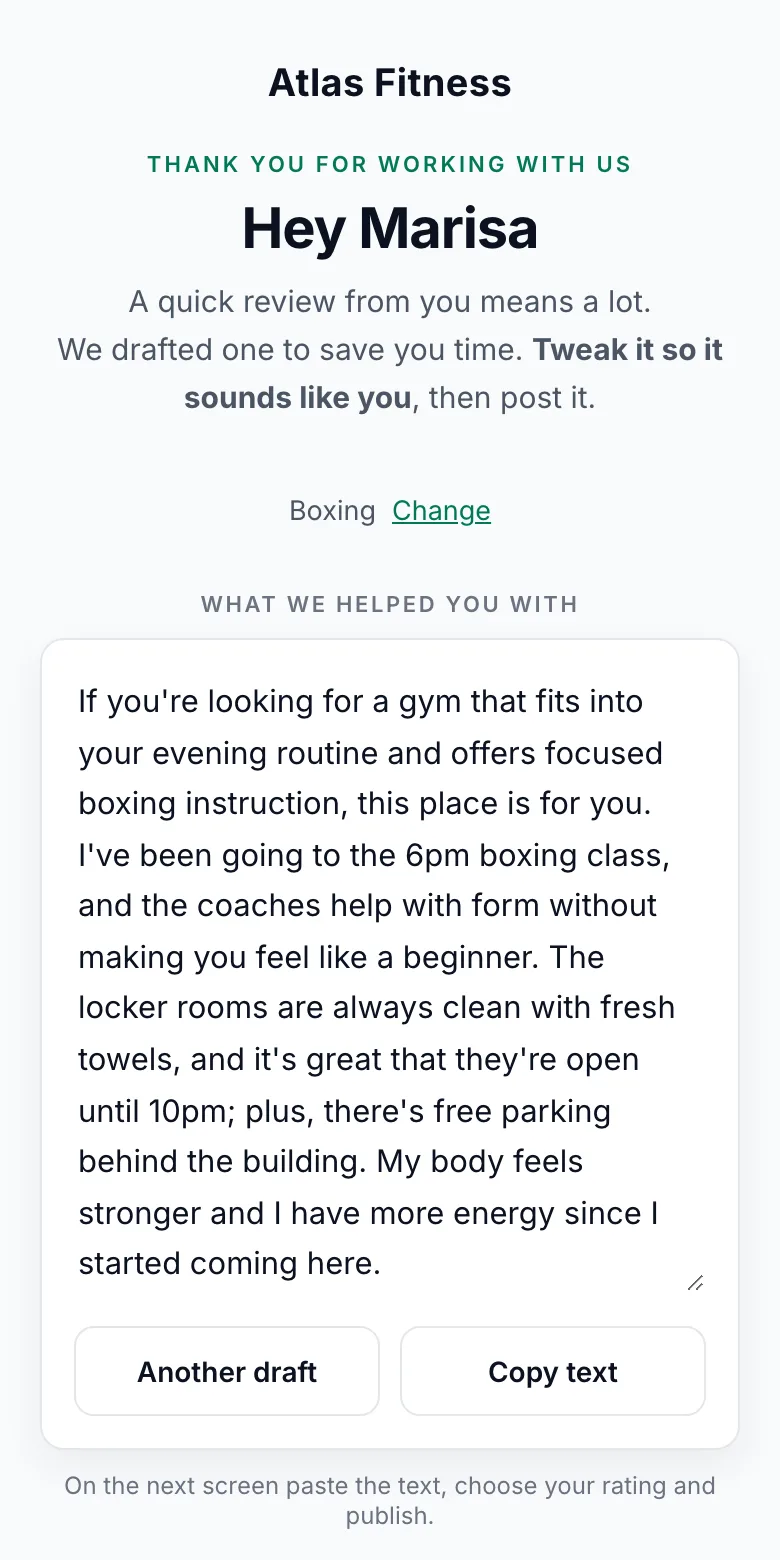
The customer page from the overview video: a starting draft about the customer's own visit, open for editingThe whole path in 50 seconds
  1. Your customer list
  2. A personal link from your domain
  3. Their own words, their own rating
  4. Your Google listing

Or, if the visit went wrong, private feedback to you first.

One finished campaign

KD MMA, three locations: 63 → 187 reviews on the public Google listings

Counted on the listings on 4 August 2026, the day before the first email, and again on 17 September 2026.

Glendale38 → 99rating held at 5.0
Montrose22 → 62rating 4.6 → 4.9
Northridge3 → 26rating held at 5.0

These are the counts each listing displayed on both dates. A listing also gains reviews for other reasons, so we show what it gained over the period and do not claim every new review. See the dated screenshots and how we counted →

Running for

  • KD MMA
  • HerTrove
  • Sentry Legal Group
  • Swift Care
  • AVI Transportation

Is it a fit?

A fit if

  • You have served hundreds of customers, and your listing shows tens of reviews
  • Asking in person feels awkward, and your staff forget to do it
  • Nobody on your side owns reviews, so it never gets done
  • You hold contact details for those customers, and you are allowed to use them
  • Someone on your side can approve a message and answer a private complaint

Not a fit if

  • Your customers are anonymous walk-ins and you hold no record of them
  • You want reviews from people you have not served
  • You want a guaranteed number by a guaranteed date
  • You need it to run with nobody on your side reading anything

How it works

  1. We start from your records. The service, the location, the person who looked after them, the language they speak.
  2. Each customer gets a personal link from your name and your domain, with a starting draft about their own visit.
  3. The customer takes it from there. They rewrite it, choose their own rating and publish from their own account. We cannot publish and never see it first.
  4. You see where each customer is: invited, opened, went to Google, said they posted, or wrote to you privately instead.

This is the page your customer opens

No account, no app, no download. Walk through it the way your customer would. The businesses and customers shown here are made up, so no client's data appears.

Watch Marisa's page in the film (1:22)Watch when a visit went wrong (2:25)

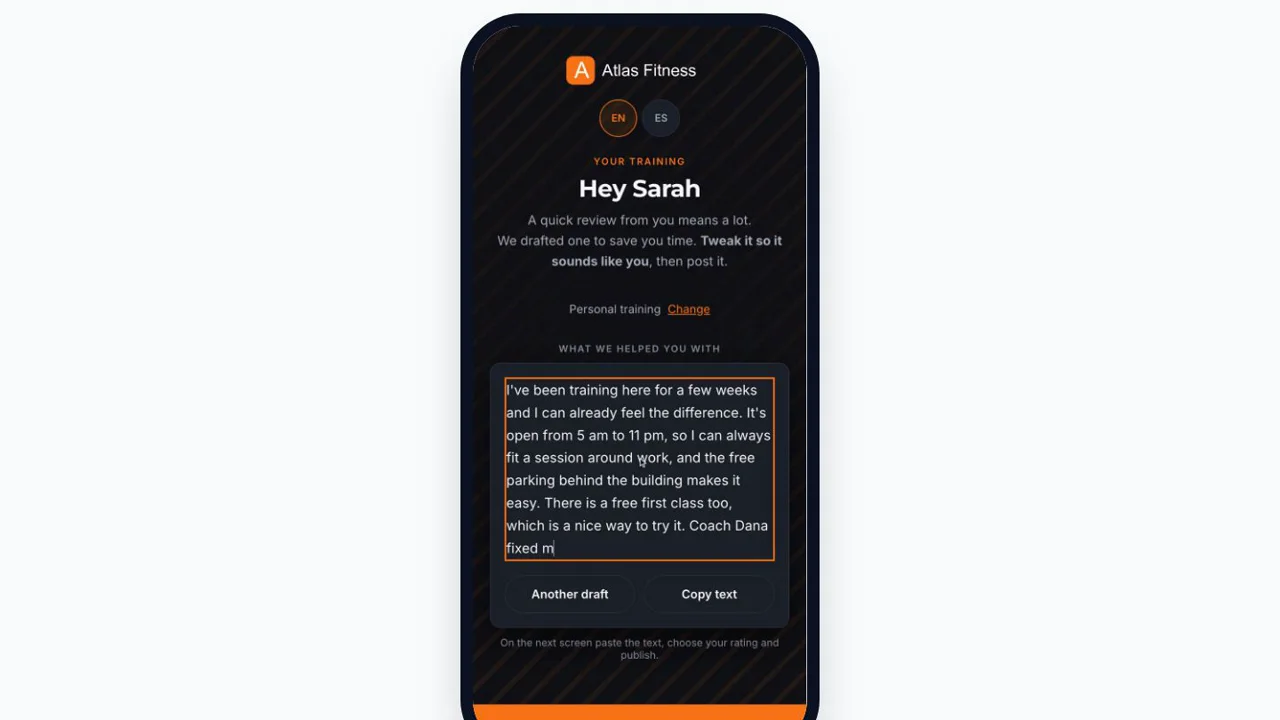
The draft screen: a starting draft about evening boxing classes and a named coach sitting in an editable text box, with buttons reading Another draft and Copy text
The screen the customer opens: a starting draft built from the facts of their own visit. They rewrite or replace it, choose the rating and post it from their own account.

The greeting

Their name, your brand, your domain. They know immediately who is asking and why. The first question is whether the visit went well, and nothing about a rating.

The draft

A starting point about their visit, naming the class they took and the coach who taught it. It sits in a text box they rewrite like any other. If it does not sound like them, they ask for a different one or replace it with their own.

After they come back

The button copies the text and opens the review composer on the platform they chose. When they return they can copy again, reopen the listing, or tell you they posted so the report is complete.

If it did not go well

There is a private way to say so. It goes to you by email instead of to the listing, with a name and a status so somebody answers it. Whether and how you use this path is your call, and the public listing stays open to everyone either way.

Watch: What your client sees (1:28)Watch: See how your reviews will sound (0:45)

What your team does while it runs

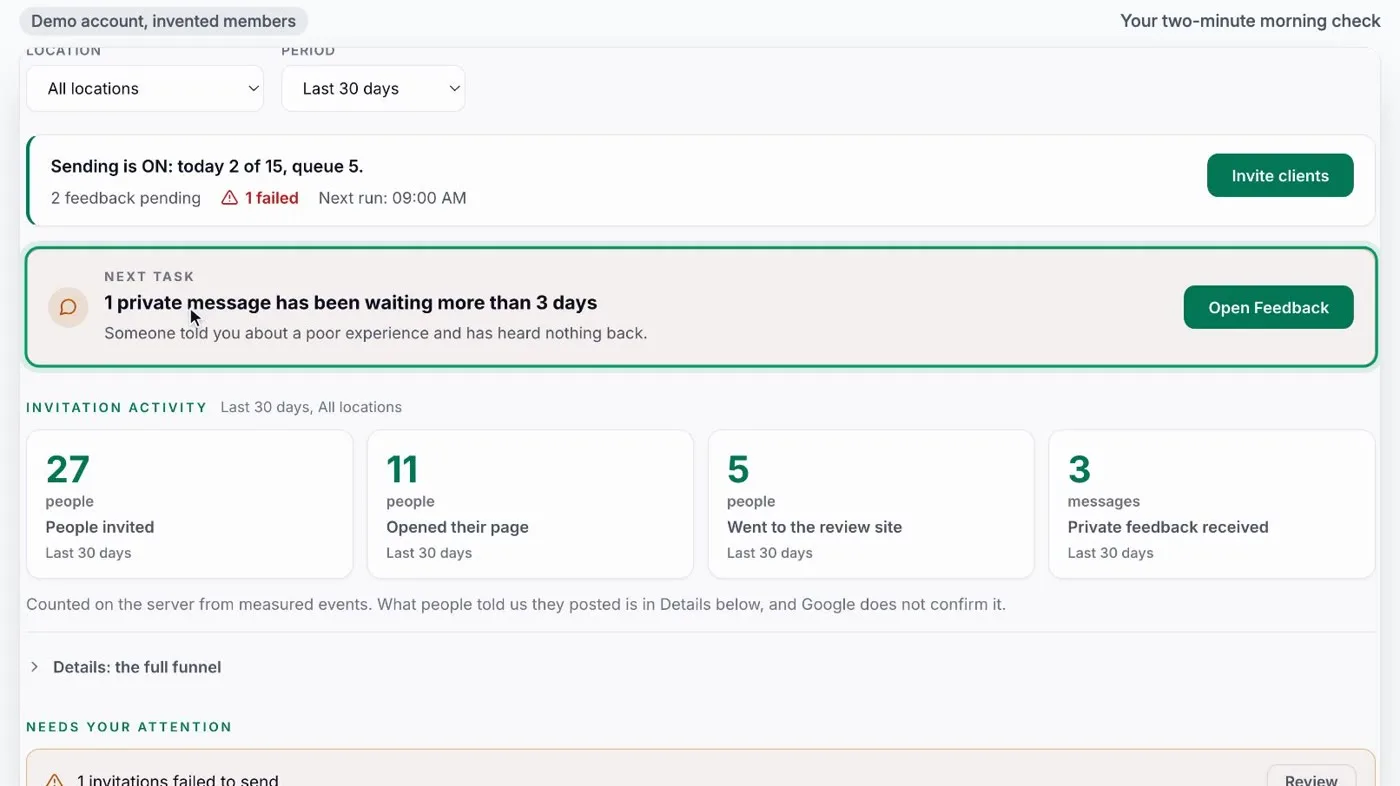
About two minutes a morning: check that sending is on, do the one task that needs a person, glance at what needs attention.

The Overview screen of a running campaign in a demo account: sending is on, one private message is waiting, 27 people invited, 11 opened their page, 5 went to the review site, 3 private messages, and a list of what needs attention
Demo account with invented clients, mid-campaign. Real campaign numbers are in Results.

Watch: Your two-minute morning check (0:42)Watch: Read your numbers (0:51)Watch: Today: queue, pause and errors (1:10)

Your team also gets 45 one-minute help videos, inside the admin next to each setting.

What you get, and what we need from you

You get

  • A clean customer list
  • Emails from your name and your domain
  • A personal starting draft for each customer
  • A private feedback path, if you switch it on
  • A dashboard of where every customer is
  • A written final report

You provide

  • The list of customers you served and may contact
  • Access to your domain DNS and Google Business Profile
  • Approval of the message
  • Someone to answer private feedback
Full scope of the standard campaign

The standard campaign

This is what the standard price covers.

Duration60 days from launch. Invitations go out through day 45, and publication is observed through day 60.
ScopeOne brand, one Google location.
ListThe customers you already served and may contact. No cap per location.
ChannelEmail in English.
DestinationGoogle.
IncludedList preparation, sender and domain setup, invitation copy, first wave launched by us, monitoring, final report.
You provideThe list, access to your domain DNS and Google Business Profile, approval of the message, and someone to answer private feedback.
Extra locations$900 each in the same campaign.
Quoted separatelyExtra languages, WhatsApp or SMS, integrations, custom data work.

Non-standard requirements such as integrations, additional languages or custom data work are quoted separately and can raise the price substantially.

How it is priced

The same $1,000 setup in both options, with a review audit of your Google listing. The difference is who runs the campaign.

We run it

For owners who want it done for them.

$1,900 for the first 60 days

$1,000 setup plus $900 campaign, one location. Each extra location in the same campaign: $900. No automatic renewal.

Who does the work
We prepare the list, launch and run every wave, and monitor it.
Included
Your domain and sender set up, the message approved, invitations through day 45, a final report with dated screenshots on day 60.
You provide
The list, DNS and Google profile access, message approval, someone for private feedback.
Book a 30-minute fit call

Your team runs it

For teams who want to send the waves themselves.

$179 per location per month

Plus the $1,000 one-time setup. Month to month. Pay yearly and save 15% on monthly fees.

Who does the work
We set it up, launch the first wave and train your team. Your team sends the next waves from the dashboard.
Included
Hosting, sending and drafts for the standard scope, and the help videos.
You provide
The list, DNS and Google profile access, message approval, someone for private feedback.

See how a team runs it: the 2-minute morning check (0:42)

Book a 30-minute fit call
After the campaign, optional

If you want it, we keep inviting your new customers for $299 per location per month, or $549 for law firms and medical transportation, with a monthly report. Month to month. 5 or more locations: $249 per location per month ($459 for law firms and medical transportation). Pay yearly and save 15% on monthly fees.

Work out your price

Book a 30-minute fit call

Bring one Google listing and a rough count of customers you may contact. On a 30-minute call we tell you whether the standard campaign fits, and we record the starting count with you.

Pick a time

Not ready for a call? Check your Google listing

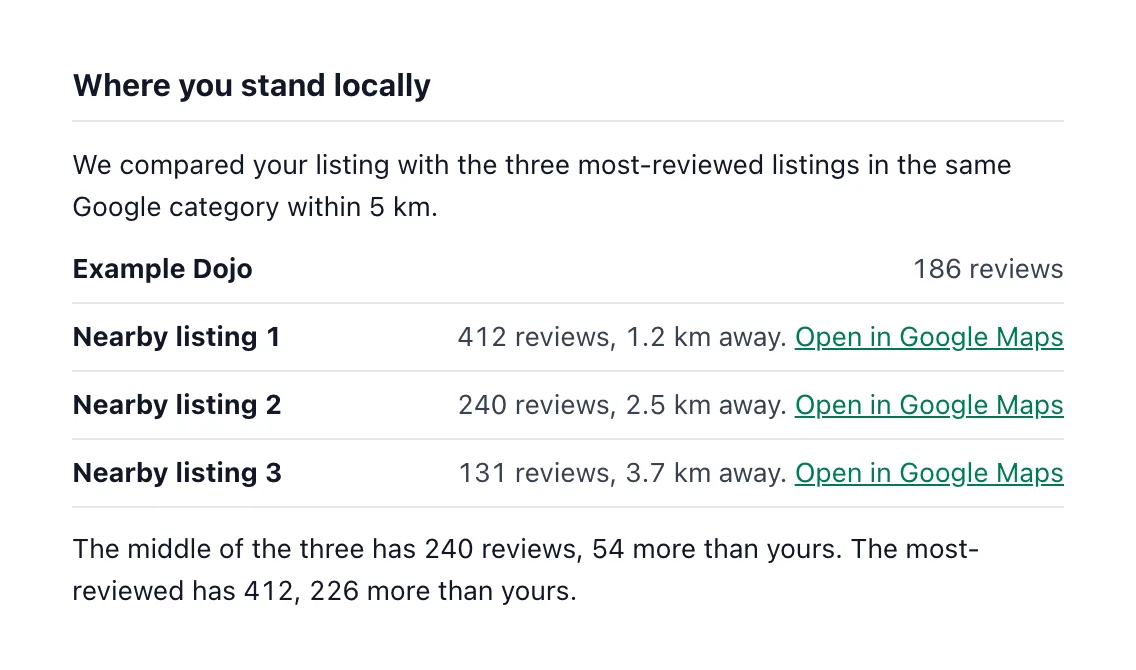
A free check of your listing's current count against three similar listings nearby. It is not the full audit; that one comes with the setup.

What a listing looked like before and after

One campaign, three locations, six weeks. The counts below are what the Google listings themselves displayed on each date. We record the before with dated screenshots, because the after is worthless without it.

Watch the KD MMA campaign in the film (5:14)

KD MMA is a martial arts school with three locations in the Los Angeles area and several hundred members on file. Thirty invitations a day went out from the club's own address, Monday to Friday, in daily waves between 5 August and 9 September 2026. We measured the listings again on 17 September.

Glendale

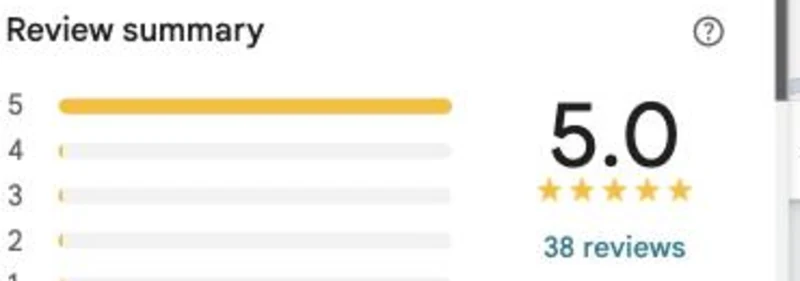
4 August 2026, before the first email Google review summary for the Glendale listing on 4 August 2026, showing 5.0 and 38 reviews
17 September 2026 Google listing card for KD MMA Mixed Martial Arts Academy on 17 September 2026, showing 5.0 and 99 reviews

38 to 99 reviews, rating held at 5.0

Montrose

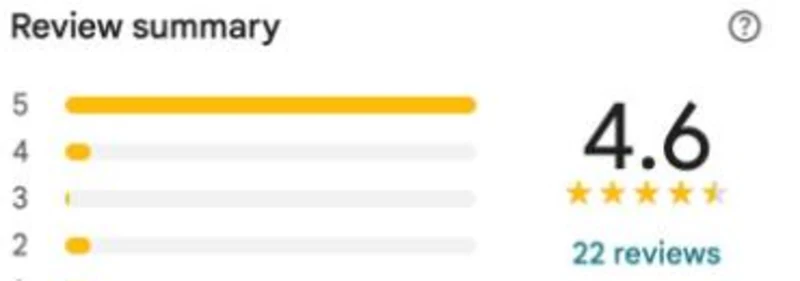
4 August 2026, before the first email Google review summary for the Montrose listing on 4 August 2026, showing 4.6 and 22 reviews
17 September 2026 Google listing card for KD MMA Montrose on 17 September 2026, showing 4.9 and 62 reviews

22 to 62 reviews, rating 4.6 to 4.9

Northridge

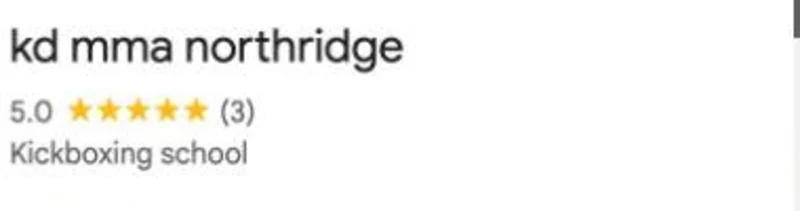
4 August 2026, before the first email Google listing card for kd mma northridge on 4 August 2026, showing 5.0 and 3 reviews
17 September 2026 Google listing card for kd mma northridge on 17 September 2026, showing 5.0 and 26 reviews

3 to 26 reviews, rating held at 5.0

63 to 187 reviews shown across the three listings, 4 August to 17 September 2026
4.6 to 4.9 the Montrose rating over the same period, the only one that was not already at 5.0
3 to 26 the newest location, which had almost nothing to show before

Screenshots taken on 4 August 2026 before the first email and on 17 September 2026, eight days after the last one. Both sets are on file and we will show you the originals. This is what the listings gained over the period, which is not the same as reviews we produced. We explain the difference below.

We had wanted to find out how our members really feel about the brand for a long time. We did not expect this much response. Automating the invitations made the difference: our staff did nothing extra, and members wrote in their own words.

KD MMA, three locations in the Los Angeles area

The one step that almost nobody drops at

Measured on 2 September 2026, partway through the campaign, with about three quarters of the invitations sent.

copied their draft 105
went on to Google 103

Of the 105 who copied their draft, 103 went on to Google. Publishing happens in their own account, so it is not counted here. The step that loses people is earlier, and we show you exactly where. We are not putting a conversion percentage next to this, because the member list we counted against was the whole roster rather than the invitations actually sent, so any rate we quoted would be wrong in our favour.

Two more campaigns, running since September 2026: Sentry Legal Group and Hertrove

Two more, running now

Both started in September 2026, so there is nothing to report yet and we are not going to invent it. What they show is the setup work, which is the part that decides whether a campaign is worth running at all.

Law

Sentry Legal Group

A law firm in the Los Angeles area, running on its own domain. Each invitation arrives from the attorney who handled the case rather than from a shared address, so the client recognises the sender before reading a word.

Before anything was sent we checked the firm's email authentication and tested delivery to the inbox, because a review invitation that lands in spam is worse than none. Campaign started 16 September 2026.

Luxury retail

Hertrove

A couture house in Beverly Hills with customers at home and abroad. The review page and the invitations run in English and Arabic, and the Arabic version renders right to left rather than as a translation squeezed into a left-to-right layout.

For customers who live in WhatsApp rather than an inbox, the staff send the same personal link from their own phone in one tap, and the send is recorded so the report stays complete. Campaign started 15 September 2026.

In preparation, with nothing to report yet: LocalExpress, a grocery delivery platform; Swift Care and AVI Transportation, two medical transport companies; and a restaurant we will name once its campaign is running.

Check my Google listing →

The whole campaign in seven minutes

From the first email to what the listings showed six weeks later. Every product screen in the film is a demo account with invented members. The KD MMA numbers are real, dated and counted on the listings themselves.

Read the transcript

0:00Hundreds served, a handful of reviews

A thriving business on the ground often looks like a ghost town on the map. The happy customers are already there. It is just that nobody asks them at the moment when saying something would be easy. And even a customer who left delighted stops at an empty text box. What do I say? How long should it be? So they close the tab. Meanwhile, the next customer is searching nearby. They look at how many reviews you have, and how recent the last one is, and they decide in seconds. Hundreds of people you served well, and a listing that shows a handful of reviews. That gap is what Review Machine closes.

0:40What Review Machine does

It does not ask strangers, and it does not write reviews. It invites the customers you already served, and it makes the first sentence easy. Here is how that looks in a demo account: Atlas Fitness, with invented members. It starts with one plain email. It comes from the business itself, in its own name and from its own address, not from us. Inside is a single personal link. The owner sees exactly what goes out. A short message, the customer's name, and the link. No stars, no discount, no request for a rating.

1:22A starting draft from a real visit

Behind that link is the step that changes everything: a starting draft, built from the facts of the customer's own visit. The class. The coach. The location. This is Marisa's page. The draft already mentions her 6 a.m. boxing class and her coach, Marcus. She swaps one word, adds a line of her own, and copies it. Then she opens Google, picks her own rating, and posts it from her own account. The drafts are not free-form. They use only the facts the business gave us, and every draft follows the same rules: no stock phrases, no superlative openings, nothing invented. The page carries the business's own look, and it speaks the customer's language. In Arabic, it reads right to left. A factual starting point removes the effort that usually stops a happy customer. The words are theirs to keep, change, or throw away.

2:25When a visit went wrong

Of course, not every visit goes well. So the same page offers a private way to say so. If a class was moved and nobody said a word, the member can write that here instead. It goes straight to the team, privately. On the business side, it lands in the feedback inbox. Someone takes ownership, sets a status, and notes what was done. Here: called back, apologized, rebooked. This is a choice, not a block. The public listing stays open to everyone, and nothing stops an unhappy customer from posting there. The team simply gets a real chance to fix it.

3:20The owner's dashboard

Everything runs from one dashboard. The owner sees who was invited, who opened their page, who went on to the review site, and who wrote in privately. Every customer has a status: invited, opened, went to the platform, or told you they posted. Open one member, and you see their personal link and every step they took. Notice the split. What customers say they posted is kept apart from what the listing itself shows. The listing count is measured on the listing, and it is not credited to the invitations. Invitations go out in small daily waves, spread across business hours in the business's own time zone.

4:25Six checks before launch

And before the first one goes out, the system checks six things: the listing, the sender address, the templates, the domain, the drafts, and the contact list. If anything is missing, it does not start. It will not launch half ready.

4:49The rules

All of this is built around the platforms' own rules, and four of them are hard lines. The customer writes the text. The customer publishes it, from their own account. We have no way to publish a review. Nobody is paid for a review. No discounts, no gifts tied to posting. The invitation never mentions five stars. And every customer gets the same invitation, so nothing filters out the unhappy ones.

5:14A real campaign: KD MMA

So what happens on a real listing? This is KD MMA, a martial arts school with three locations in the Los Angeles area. Northridge, on 4 August 2026, the day before the first invitation. Over 100 members on file. 3 reviews on Google. The newest one, six months old. 30 invitations a day went out from the club's own address, Monday to Friday, from 5 August to 9 September. On 17 September, we measured the listings again. Glendale went from 38 reviews to 99, and held its 5.0 rating. Northridge, from 3 to 26. Montrose, from 22 to 62, and its rating rose from 4.6 to 4.9. Across all three listings, 63 reviews became 187. A snapshot from 2 September shows where the friction really was. 105 people copied their draft. 103 of them went on to Google. Once people have the words in their hand, almost all of them take the next step. The hard part was never the click. It was the writing.

6:22What the numbers do not say

Now the boundaries. These are the counts the listings gained over the period, recorded with dated screenshots. They are not reviews we produced. Review platforms do not show anyone who pressed publish, so we cannot claim that every new review came from an invitation. And nobody can promise you a number, a rating, or a ranking. So we report what the listing shows, on two dates, and nothing more. No open rates. No conversion percentages.

6:51How to start

To start, you need one Google listing and the customer records you already have. Setup takes less than a week. Your most satisfied customers are already out there. The happy customers are already there. Review Machine gives them the first sentence.

Your review audit on day one

Every setup starts with a dated audit of your Google listing: where you stand locally, replies ready to edit, and what customers mention. See a full audit →

A page of the review audit comparing a listing with nearby competitors

Written up for your industry: the data we use, the sender your customers recognise, extra languages or channels

Each page covers the case for asking, the workflow, the evidence we can show for that industry, what it costs, and the questions to settle before launch. See all six

The rules, and how this stays inside them

The platforms have four rules that matter here. The product is built around them, and the agreement commits both sides to the platforms' terms.

Watch the rules in the film (4:49)

The customer writes it and the customer publishes it

They rewrite or replace the starting draft, choose their own rating, and post from their own account. We have no way to publish a review and never have. Nothing is posted by us, ever.

Nobody is paid for a review

No discount for posting, no gift conditional on posting, no entry into anything. Where a client wants to thank customers at all, it is not tied to whether they published.

We do not ask for a rating

The invitation does not mention five stars, and the rating is chosen on the platform by the customer, in their own account, after they have worked on their draft.

The listing stays open to everyone

Every customer on the list gets the same invitation. The private feedback path exists so an unhappy customer can reach the owner directly. How it is configured is the business's decision, and nothing in the product stops anyone from posting publicly.

Each customer gets one invitation unless the business decides otherwise, and an opt-out link is available for every message that removes the person from every channel at once.

And the part that follows from all of it: we cannot promise you a number. Google may filter, remove or reorder reviews whenever it chooses. That is why the price is fixed and does not depend on a number, and why the result we report is read off the listing itself.

How we measure: what we can show and what we will not claim

The part most people leave out

Reviews are a noisy thing to measure. A listing gains reviews for reasons that have nothing to do with us, and nobody can see who published: the platforms do not tell anyone that, us included. So here is the line we draw.

Watch what the numbers do not say (6:22)

What we can show you
  • Dated screenshots of every listing before we sent anything, and again afterwards
  • The count and rating each listing displayed on each date, read off the listing itself
  • Every stage of the funnel per location: invited, opened, copied, went to the platform, said they posted
  • The exact message each customer received, and the starting draft they were offered
  • The steps where people dropped out, including the ones that went badly
What we will not claim
  • That every new review came from us. We can show what a listing gained over a period, not who caused each one
  • That we know who published. We see self-reported posts and listing growth, and nothing else
  • A guaranteed number of reviews, a guaranteed rating, or a guaranteed ranking
  • An open rate. Mail clients preload images and inflate it several times over, so we do not report it
  • A conversion percentage. Our own denominator was the full member roster rather than the invitations sent, so the honest answer is the absolute counts

We would rather run it on one of your locations and look at your own listing with you.

Questions we get asked

Is this allowed?
Yes. The constraints are specific: no incentive tied to posting, no requested star rating, the same invitation for everyone on the list, and the customer publishes from their own account. The product is built around those rules, and the agreement commits both sides to the platforms' terms.
Do you write fake reviews?
No. The starting draft describes something that actually happened, to the person it happened to, and they rewrite or replace it before publishing. If they do not recognise it, they write their own or they do not post. We have no way to publish anything.
What if a customer is unhappy?
They can tell you privately instead, and it lands in a feedback inbox with an owner and a status. That path is off unless you turn it on, and it never blocks anyone from posting publicly.
Will you contact my customers more than once?
Not unless you decide to. Each customer gets one invitation by default, and an opt-out link is available for every message that removes the person from every channel at once.
Whose domain and whose brand?
Yours. The page, the personal link and the email all come from your domain, under your brand. Your customers never see us. This is the point of the white-label setup: it is your reputation on the line, so it should be your name on everything the customer touches.
What about customers who do not use email?
Your staff send the same personal link from their own WhatsApp in one tap, and the message is already written in the customer's language. The send is recorded so your report stays complete. Automated SMS and WhatsApp are available through your own Twilio account if you want them. WhatsApp and SMS sit outside the standard campaign and are quoted separately.
How long does setup take?
Less than a week, and most of that is waiting on your data export and two DNS records.
Which platforms and which languages?
Google, Apple Maps, Yelp and Yandex, whichever you have listings on, with Google the default for almost everyone. English, Spanish and Arabic, and the customer page renders right to left in Arabic. The standard campaign is Google in English. Other platforms and languages are quoted separately.
Is my customer data safe?
Your customer list stays in your own tenant and is used for one thing: sending your invitations and reporting on them. The starting draft is built from a first name and what you served them, never from their contact details. Nothing is used to train models. You can export or delete the list at any time, we delete it at the end of the engagement or on request, and contact details are removed from our records twelve months after the campaign in any case. For regulated businesses, generation can be routed only through providers that keep no data.
What does it cost?
The setup is $1,000 in every option. The managed 60-day campaign adds $900, $1,900 in total, and the price does not depend on the number of reviews. Afterwards we can keep inviting your new customers for $299 per location per month, or $549 for law firms and medical transportation. 5 or more locations: $249 per location per month ($459 for law firms and medical transportation). If you would rather run it yourself, it is $1,000 setup plus $179 per location per month. Pay yearly and save 15% on monthly fees. There is no cap on customers per location. More than 5 locations and more than 3,000 customers: we plan the project with you on a call. SMS, WhatsApp, other languages, integrations and extra customisation are priced on the call.
How do you measure the result?
We record your Google listing's public review count on the launch date and on day 60, both with dated screenshots, and the final report shows the difference. It is what the listing gained over the period, not a claim that every one of those reviews was caused by the campaign, and the price does not depend on it.
Start here

Book a 30-minute fit call

Bring one Google listing and a rough count of customers you may contact. On a 30-minute call we tell you whether the standard campaign fits, and we record the starting count with you.

Prefer email to a call? Check your Google listing and ask for a plan.

Calendar not loading? Open it in a new tab or write to we@fractalic.studio.