Help a referred prospect do their research
Even someone who receives your name from a friend may look up the firm before calling. Genuine client accounts provide another source of context alongside your credentials and practice information.
People researching a law firm want to understand what working with it might feel like. Invite appropriate clients to describe their own experience, with a review process designed around discretion and their control.
$1,000 setup plus $900 for a standard 60-day campaign. Setup, sending and the first wave are done by us. Your customer’s own words, on your own domain.
A prospective client may understand your practice area and still be unsure what the relationship will be like. Firsthand accounts can help them assess the experience of communication and service. Those accounts must come from the client, without a script, a promised outcome, or disclosure of confidential matter details.
Even someone who receives your name from a friend may look up the firm before calling. Genuine client accounts provide another source of context alongside your credentials and practice information.
A defined process gives your team a chance to check timing, permission, and wording. It avoids relying on individual staff members to improvise review requests.
Choose a responsible approver, one eligible client cohort, and a minimal export. The review workflow should not require passing case narratives between your CRM, an email tool, and a drafting system.
Review requests can fall between the attorney, the assistant, and the person managing marketing. A clear invitation process makes responsibility visible. It should remain separate from legal advice, settlement negotiations, access to files, and any condition on the client’s service.
A useful campaign starts with a real audience and a specific operational problem. These are situations to explore, not a promise that every business needs a campaign.
Define an appropriate milestone and a responsible approver. A favorable case outcome must not be the rule for inclusion.
Standardize the brand, approved message, and audience review while keeping sensitive matter information out of the campaign.
Track the invitation path and public listing changes without claiming that every new review came from the firm’s campaign.
We configure and launch the workflow. Your customer controls the review.
Your firm confirms the contact permissions, timing, applicable professional rules, and information that may be processed. Do not upload the case file.
Use a firm-approved sender and neutral wording. Do not put matter type, allegations, outcomes, case numbers, or sensitive facts into subject lines or draft context.
The client decides whether to respond and what to say publicly. Any starting draft is built only from approved, nonsensitive facts of the client’s own experience, must not invent results or opinions, and is rewritten or replaced by the client before publishing from their own account.
Keep operational reporting limited to authorized users. Responding publicly to a review is outside the standard package and needs its own confidentiality review.
The draft is a starting point built from the facts of the customer’s own visit, not a submission. The customer rewrites it, asks for another wording, or replaces it entirely before publishing from their own account. Nothing is posted from this page, and the rating is chosen on the review site under the customer’s own account.
We do not label this package “bar approved” or make a blanket compliance promise. The firm must assess its applicable rules and approve the data flow and agreements before launch. If the necessary safeguards cannot be met, the standard campaign does not proceed.
The standard launch starts with one usable export. It does not assume a new CRM integration or a fully automatic service trigger.
The Review Machine product page describes Sentry Legal Group’s campaign as beginning September 16, 2026, with a recognizable attorney sender and email-authentication preparation. It does not publish a mature result for that campaign. That is implementation context, not proof of new cases or additional revenue.
The first campaign should establish:
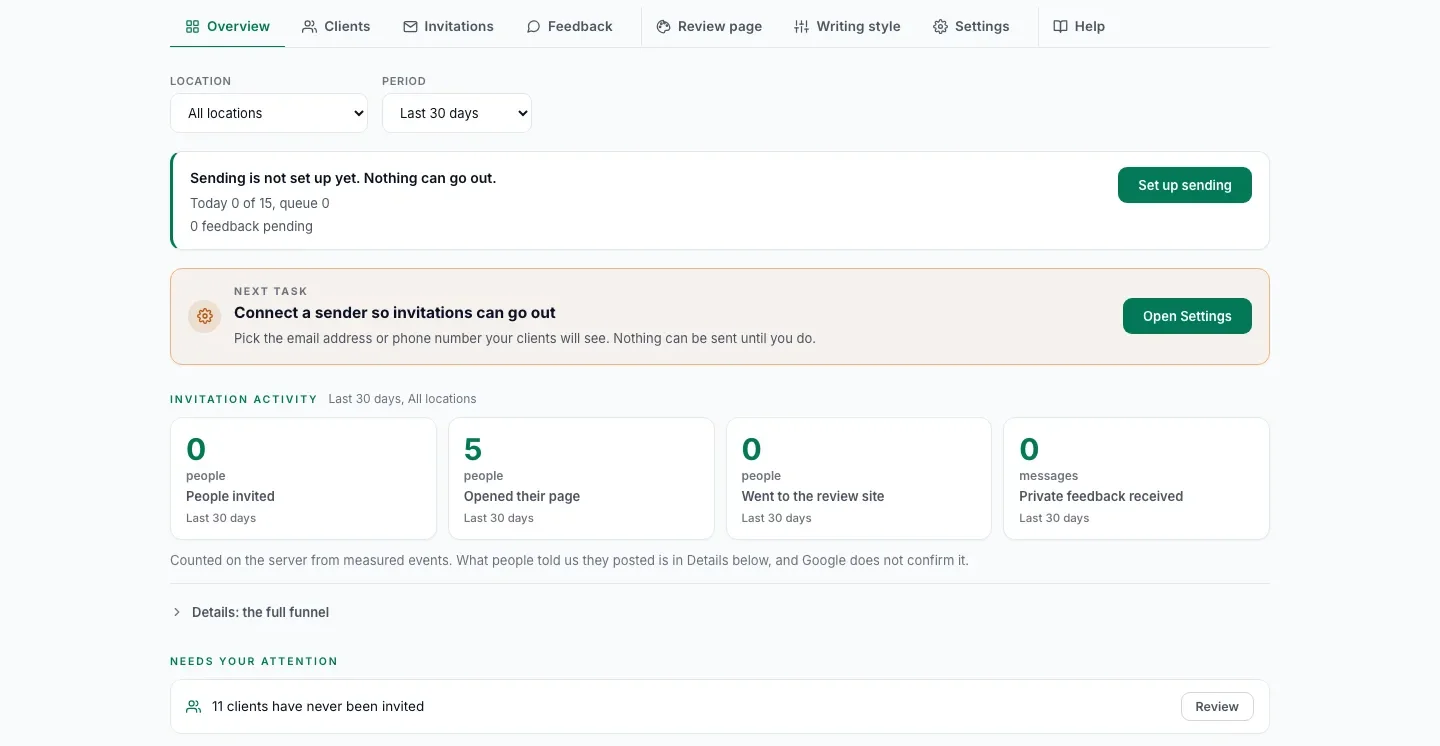
A dashboard should help you decide what to do next. It should not turn a click into a published review or a change in the listing into a promise about revenue.
Who entered the campaign and which sends succeeded or failed.
Customer-page engagement, copying, and clicks to the review platform.
What customers tell us they posted. This is not verified publication.
Dated public counts and ratings. For the managed campaign, this dated public count is what the final report shows. Organic activity can affect it too.
Each customer on your list has one invitation status, with the same words for email, SMS and WhatsApp. A status your staff set by hand is labelled as a staff mark.
| Not invited | No invitation has gone out yet. |
|---|---|
| Scheduled | It goes out on its own at a set time. Nothing to do. |
| Ready to send | Waiting for your staff to send it by hand from their own WhatsApp or phone. |
| Sent | The message went out, as the provider reports or your staff mark it. |
| Delivered | The phone received it, as the SMS or WhatsApp provider reports or your staff mark it when they see it delivered, such as two grey ticks in WhatsApp. Emails stay at Sent. |
| Failed | It did not go out, or it bounced, as the provider reports or your staff mark it with a reason, such as a wrong number or a number not on WhatsApp. |
| Cancelled | It is not going to be sent. |
Progress then follows each customer from opening their page to writing a draft, copying it, clicking through to Google and saying they posted, and that last step is their own word, because Google does not tell anyone who published.
Review counts, ratings, rankings and new customers are not guaranteed. Google controls publication and moderation. A rise in the public count can be observed during a campaign without proving the campaign caused it.
The standard campaign is one brand, one Google location, the customers you already served with no cap per location, one English email campaign, and 60 days.
| Duration | 60 days from launch |
|---|---|
| Scope | One brand, one Google location |
| List | The customers you already served and may contact. No cap per location |
| Channel | Email in English |
| Destination | |
| Included | List preparation, sender and domain setup, invitation copy, first wave launched by us, monitoring, final report |
| You provide | The list, DNS and Google Business Profile access, message approval, someone to answer private feedback |
| Extra locations | $900 each in the same campaign |
| Quoted separately | Languages, WhatsApp or SMS, integrations, custom data work |
Non-standard requirements such as integrations, additional languages or custom data work are quoted separately and can raise the price substantially.
We run the campaign for you
$1,000 setup plus $900 for a standard 60-day campaign
A defined campaign at a fixed price, with no guaranteed review volume and no automatic renewal.
Run it yourself
$1,000 setup plus $179 per location per month
We set it up, launch the first wave and train your team. Your team sends the next waves from the dashboard.
Pay yearly and save 15% on monthly fees. There is no cap on customers per location. More than 5 locations and more than 3,000 customers: we plan the project with you on a call.
The setup is yours to keep in either option: your domain, your sending, your list prepared, and the first wave launched. It is paid once and is not credited against other fees. The campaign fee is fixed and does not depend on the number of reviews. There is no automatic renewal.
The setup includes a review audit of your Google listing: a dated report of where it stands before the first invitation. See a sample report.
The final report compares the listing’s public review count on the launch date and on day 60, both counts recorded with dated screenshots. It shows what the listing gained over the period, not a claim that each review was caused by the campaign, and the price does not depend on it. Clicks, copied text and self-reported posts are reported separately and never presented as published reviews.
After the campaign, we can keep inviting your new customers for $549 per location per month, with a monthly report, or $459 with 5 or more locations. On the Self-Run Plan, $179 per location per month covers hosting, sending and drafts for the standard scope, and your team runs the waves. Both are month to month. Source code is not included.
Prices in USD, taxes additional. Offer details are confirmed in the order.
Worth saying plainly, because the wrong starting point wastes a campaign for both of us.
Start with the actual workflow and scope, not an assumed result.
Bring one Google listing and a rough count of clients you may contact. On a 30-minute call we say whether the standard campaign fits and record the starting count with you. Do not send confidential client or matter information when booking.
Check whether your list is a fit
Prefer email to a call? Check your Google listing and ask for a plan.
Calendar not opening? Open it in a new tab or write to we@fractalic.studio.
An initial conversation, not a commitment to buy. Please do not send customer lists or sensitive records.
Further reading: ABA Model Rule 1.6: confidentiality of information. Published Review Machine case and product context. Scope and requirements are confirmed for your business before purchase.