Two minutes every morning
You should not need a spreadsheet to know whether asking for reviews is working. The Overview screen answers it in the order you need: what goes out today, how many clients were invited, opened their page and went on to the review site, who told us they posted, which private messages need you, and how your listing's review count moved. It counts people, not clicks, and says plainly which numbers are self-reported.
Transcript
0:00 Is it working?
Is it working? Two minutes, one screen. It's six forty-five at Atlas Fitness. Before the first class, Maya opens Overview.
0:10 Today's sending and the last 30 days
Sending is on. Six invitations are queued for today, inside her daily limit. The last thirty days: clients invited, who opened their page, and who went on to the review site. Details shows the full funnel, including who told us they posted. That part is self-reported. Every step counts people, so she can see exactly where they drop off.
0:34 What came in overnight
Needs your attention: two private messages came in overnight. Cold showers at Riverside. She assigns it to Luis, adds a note. Done.
0:50 The listing on Google
Last, the listing itself, read from Google every day: plus nine reviews since September fifth. Okay. Doors open. Thirty days: twenty-eight invited, seventeen opened, eleven went to Google, seven said they posted. See where you stand. Run a free listing check at fractalic.studio.
What the owner does
Five steps, each shown in the video. The stills are frames from the video.
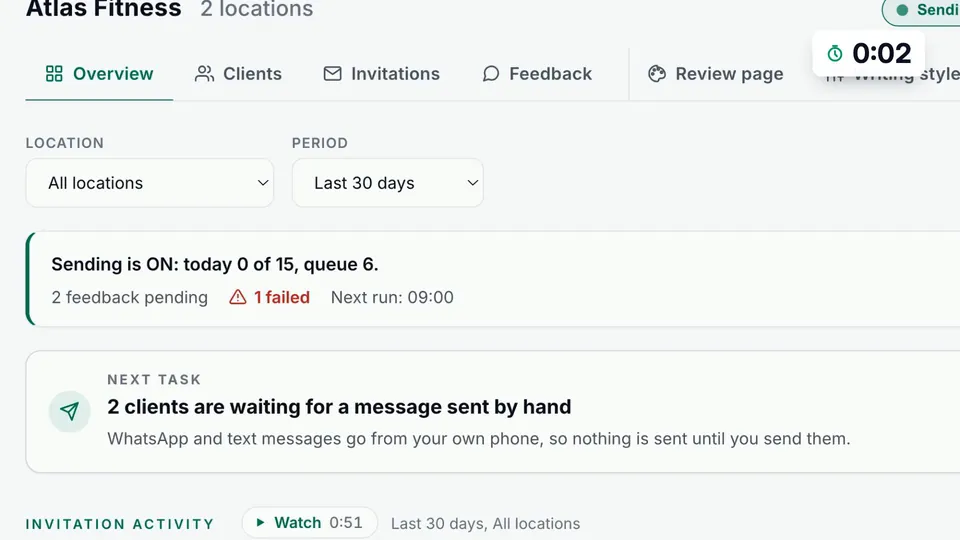
Check today's sending
The top line says whether sending is on, how many went out today against your daily limit, and how many are queued.
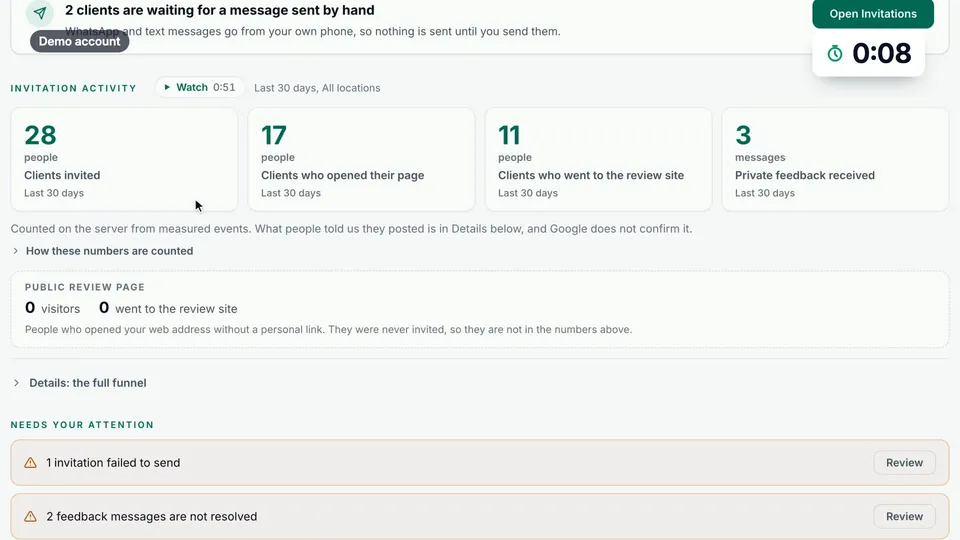
Read the last 30 days
Four numbers: clients invited, clients who opened their page, clients who went to the review site, and private feedback received.
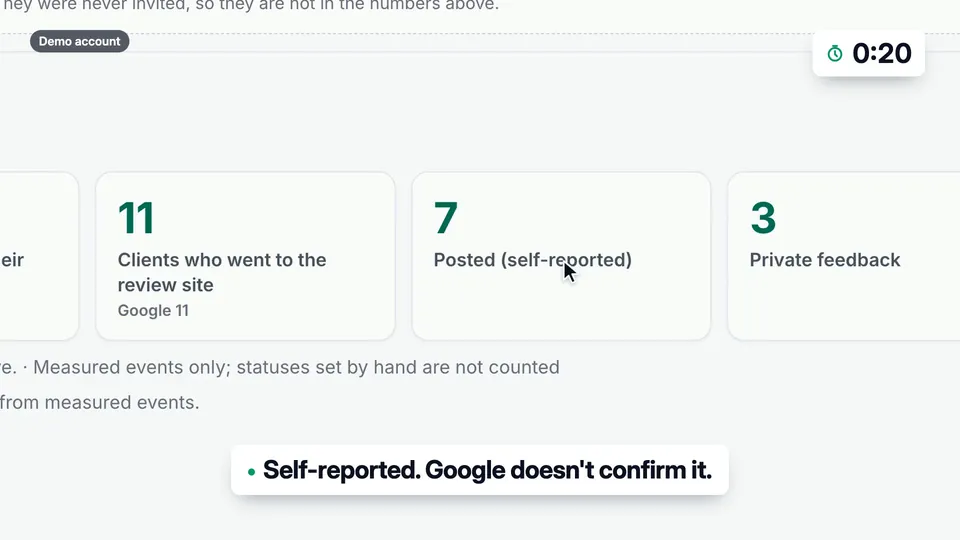
Open the full funnel
Details adds messages sent per channel and Posted (self-reported), counted separately because Google does not confirm it.
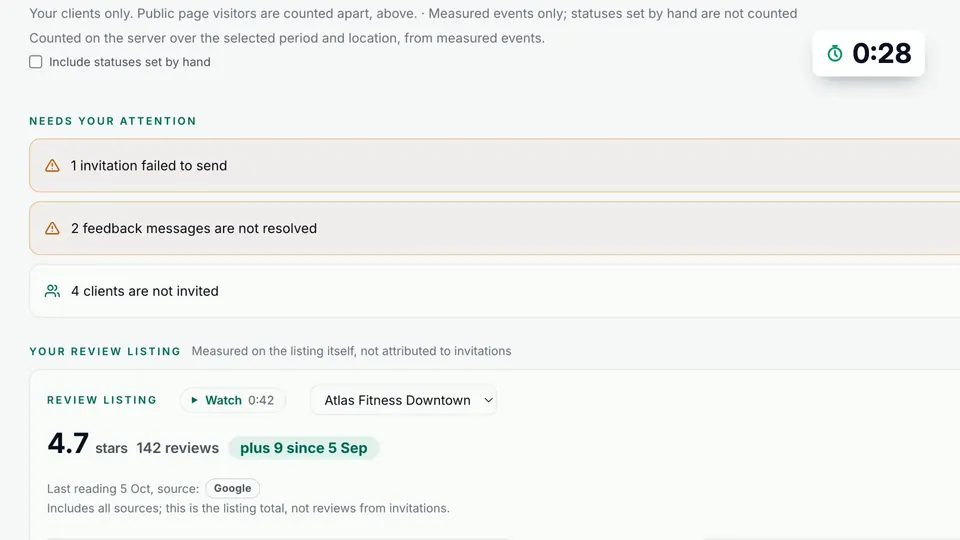
Handle what needs you
Needs your attention lists unresolved private feedback and failed sends, each with a Review button.
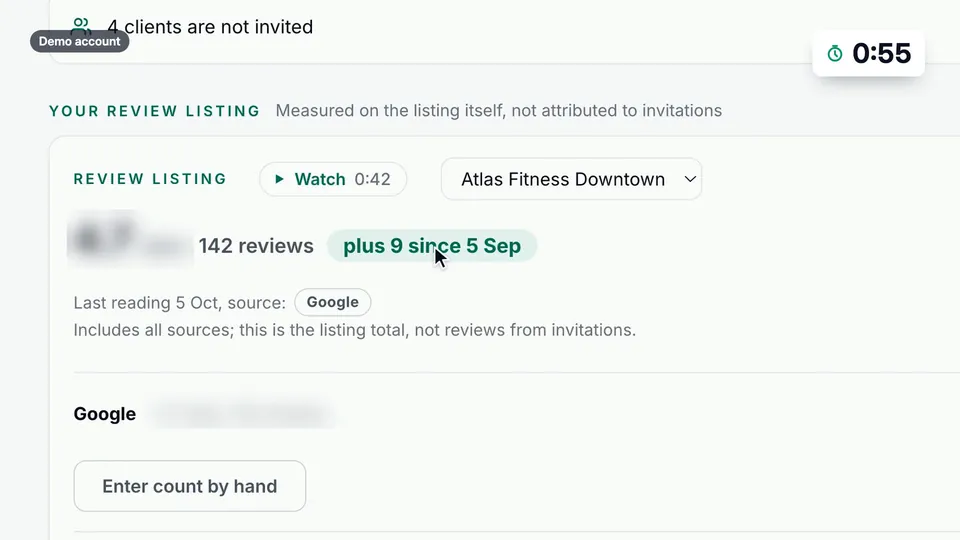
Watch the listing
Your review listing shows the review count on Google and the change since your starting point, from all sources.
Good questions. Clear answers.
Does Posted mean the review is on Google?
How often is the review count updated?
Can I get this without logging in?
More customer stories
 Ask for a review after the visit, without remembering to
The best time to ask for a review is right after the visit. The worst person to remember is you.
Watch the story (1:25) →
Ask for a review after the visit, without remembering to
The best time to ask for a review is right after the visit. The worst person to remember is you.
Watch the story (1:25) →
 When a customer is unhappy, you hear it first
An unhappy patient will tell someone. Make sure you hear it too.
Watch the story (1:20) →
When a customer is unhappy, you hear it first
An unhappy patient will tell someone. Make sure you hear it too.
Watch the story (1:20) →
On the product page: What your team does while it runs. All use cases →