How to get reviews from past customers without a spike
Most local businesses have hundreds of past customers who were never asked for a review. Asking all of them on one day creates a spike, and sudden spikes can get new reviews held back. In this video, Maya, who runs a gym (a demo account), uploads her list of past members, sees the problems before anything is saved, and invites them at 20 a day. If her listing grows faster than that pace explains, sending pauses by itself.
Transcript
0:00 Eight hundred members, forty reviews
Eight hundred people have trained here. We have forty reviews. Here's how to ask every one of them, at a steady pace. Emailing everyone on one day sounds efficient. But a sudden spike in reviews can get new ones held back.
0:16 Upload the list and see the problems
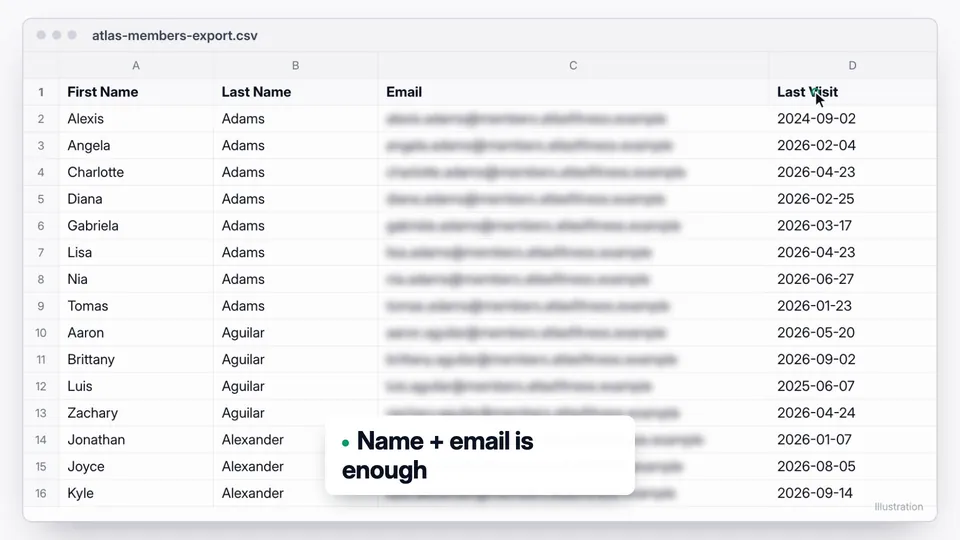
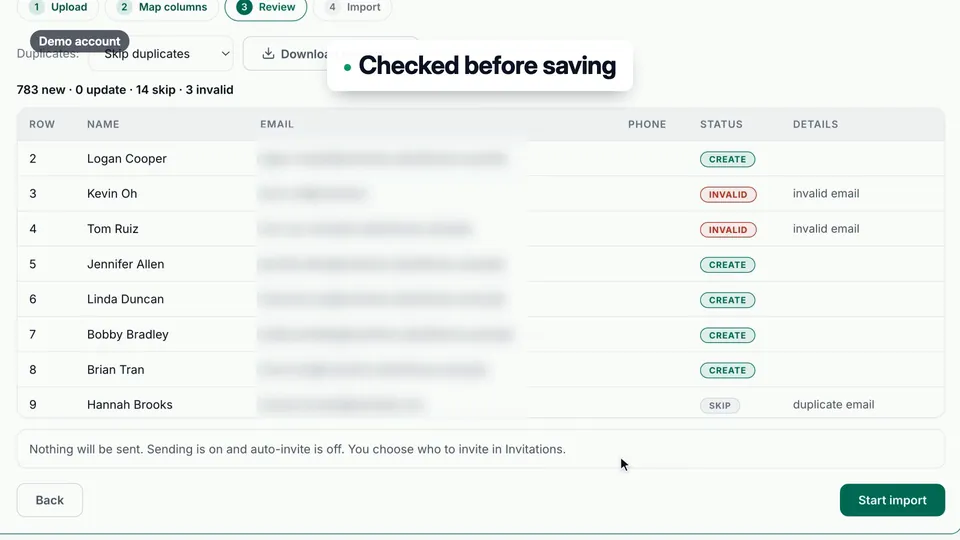
Maya exports her past members, most recent visits first. She uploads the file to Review Machine. Names and emails match up on their own. Before anything is saved, she sees the problems: duplicates, bad addresses, people who opted out. Nothing is sent yet. Seven hundred eighty-three members, ready.
0:40 Twenty a day, on weekdays
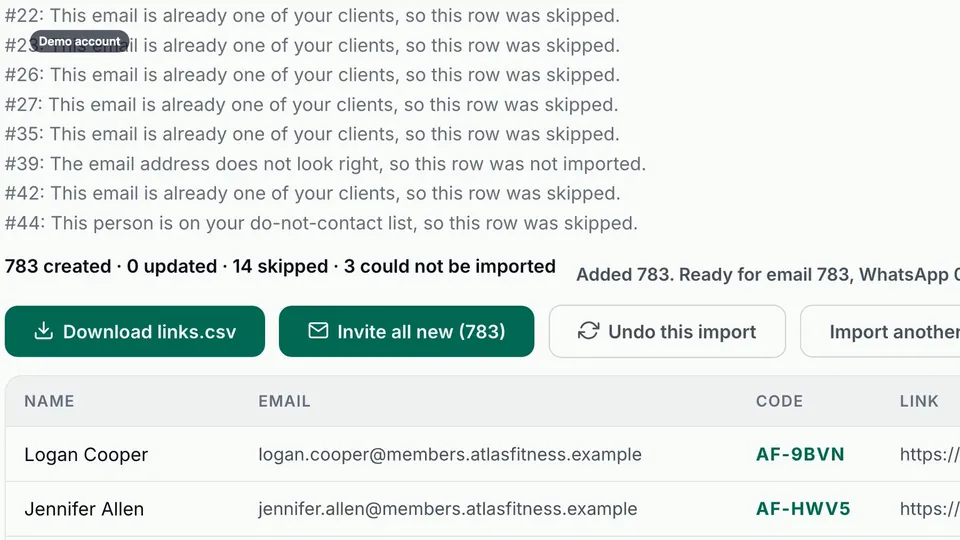
One click puts them all in the queue. They don't go out at once. Twenty a day, on weekdays, during business hours. At that pace, everyone hears from her in about eight weeks.
0:56 The built-in brake
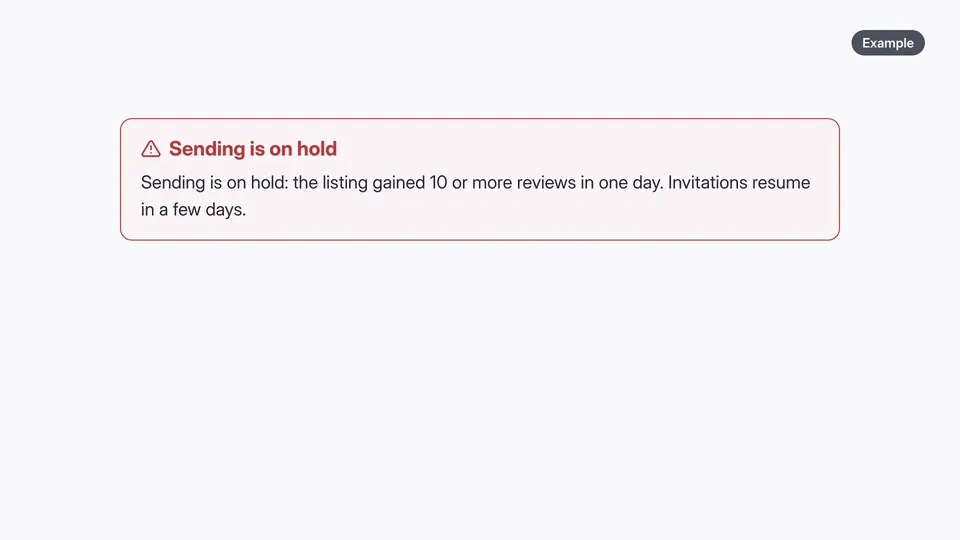
And there's a built-in brake. If the listing gains more reviews than that pace explains, sending pauses by itself, then picks up again. Maya goes back to coaching.
1:09 Six weeks later
Six weeks later: fifty-one new reviews. A few more every week, and no spike. Six hundred members asked. The ones who posted wrote it in their own words. Invite everyone you served, not just the ones you expect to be happy. Run a free listing check at fractalic.studio.
What the owner does
Five steps, each shown in the video. The stills are frames from the video.
Export your client list
Name and email are all you need. Sort by last visit, newest first, so recent customers hear from you first.
Upload and check
Review Machine matches the columns and shows duplicates, bad addresses and people who opted out before anything is saved. Nothing is sent at this step.
Queue everyone you served
One click puts the new clients in the queue. Invitations leave only inside your sending hours and daily limit.
Let the pace work
Most businesses send 5 to 20 a day. If your listing gains more reviews than your daily limit explains, sending pauses and resumes on its own.
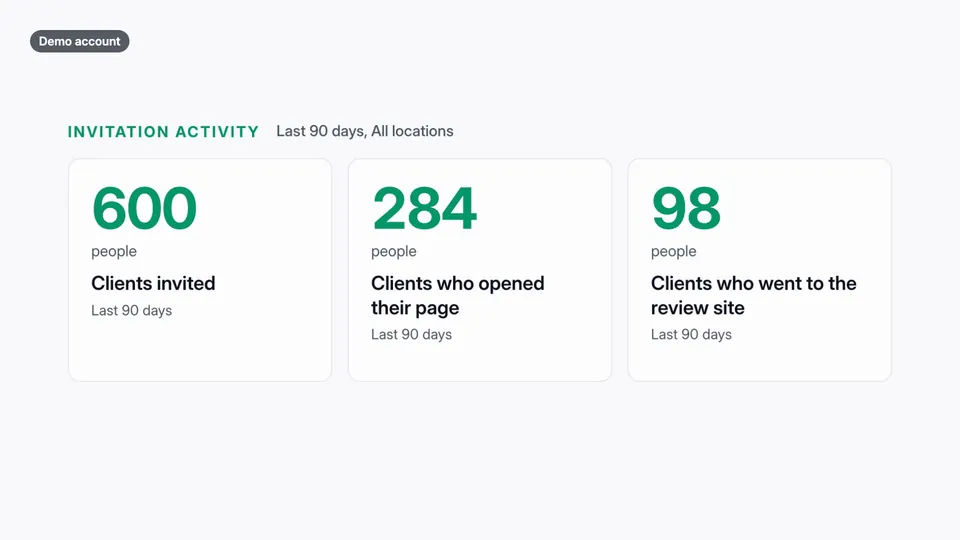
Watch the listing
Overview shows who was invited, who opened their page and the review count of the listing itself.
Good questions. Clear answers.
Is it OK to ask old customers for a Google review?
How many invitations should I send a day?
What happens if reviews come in faster than expected?
More customer stories
 Ask for a review after the visit, without remembering to
The best time to ask for a review is right after the visit. The worst person to remember is you.
Watch the story (1:25) →
Ask for a review after the visit, without remembering to
The best time to ask for a review is right after the visit. The worst person to remember is you.
Watch the story (1:25) →
 From "I'll do it later" to a posted review in a minute
Most happy customers don't refuse to leave a review. They just never get to it.
Watch the story (1:12) →
From "I'll do it later" to a posted review in a minute
Most happy customers don't refuse to leave a review. They just never get to it.
Watch the story (1:12) →
For your industry: Fitness studios. All use cases →